MyWhoosh Link App v3
If you haven’t already spotted it, the MyWhoosh Link App has a full refreshed look and function.
Version 3 brings a new look, a clearer layout and a much easier way to get around the things you use most, from planning your next workout to checking activity, catching up with your team or following a live session from your phone.
There’s plenty that will feel familiar, but a lot has moved, changed or become easier to reach. Here’s what’s new and where to find it.
With Link App v3, you can:
- See planned, upcoming and completed activities in one place
- Find friends and interact with their activities
- Create and manage teams and Team Events
- Browse rides, runs, rows, races and community events
- Explore the workout library and schedule sessions into your calendar
- Use your phone as a Live Ride companion
- Build Live Ride Presets around the metrics you want to see
NOTE: Screenshots are for illustration only. Actual features, layout and availability may vary by platform, device and app version.
A new way to navigate the app
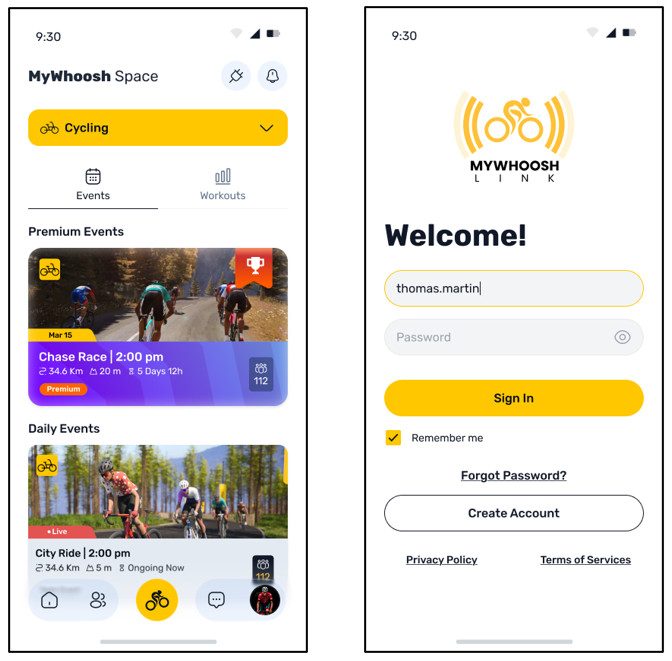
The new bottom navigation bar gives you direct access to five main areas: Home, Teams, MyWhoosh Space, Messages and Profile. When you open Link App V3 for the first time, updated onboarding screens introduce some of the main features of the refreshed app.
If you choose to log out, Remember Me can save your email address to make signing back in quicker next time.
Your training at a glance
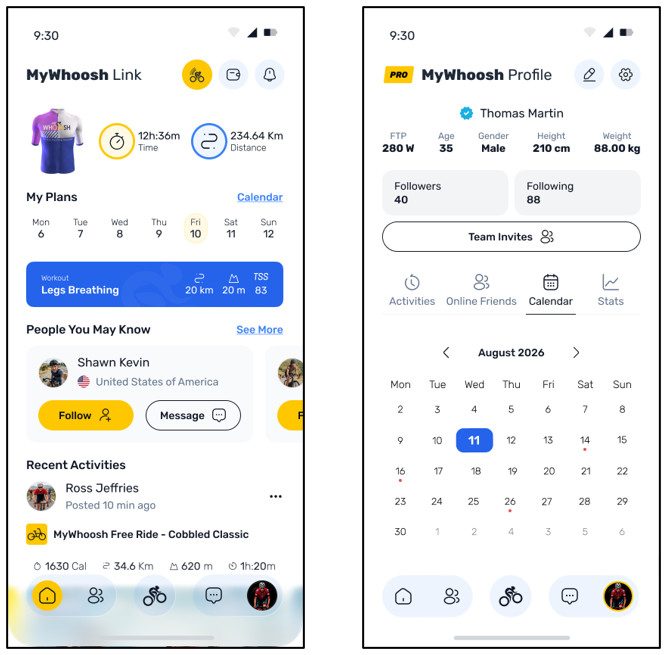
The Home screen brings your own activity and updates from people you follow into one place, alongside upcoming training and events. Your latest in-game jersey also appears at the top of the screen.
Weekly and monthly calendar views make it easy to check completed and upcoming training and events. Activity tiles also show key ride data including distance, elevation and TSS.
More from your Profile
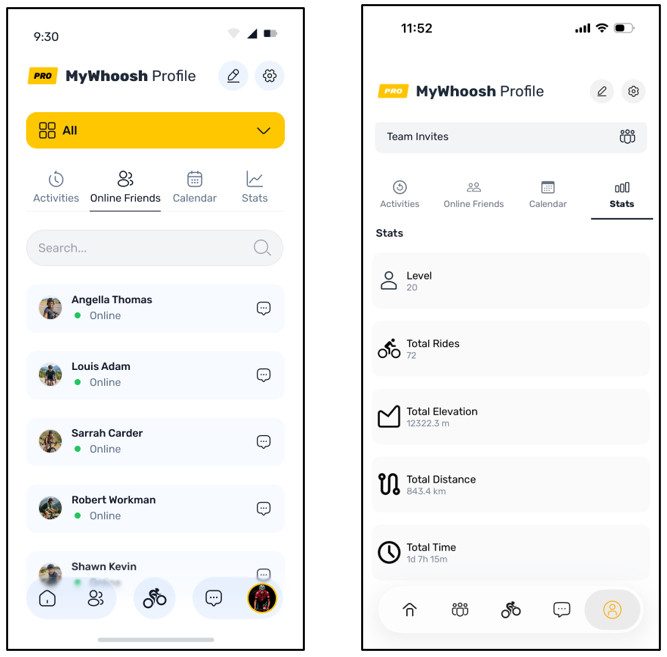
Profile is now the main home for your personal activity, account details and settings.
From here, you can:
- View Free Rides, Workouts and Events
- Open your monthly calendar
- Change your profile image
- Check your subscription status
- See which friends are online
- Access Settings
- Manage your subscription through Profile Settings
Live Ride Presets are also managed through Profile Settings. You can create or update them inside or outside a session, with separate presets available for different sports.
A dedicated space for teams
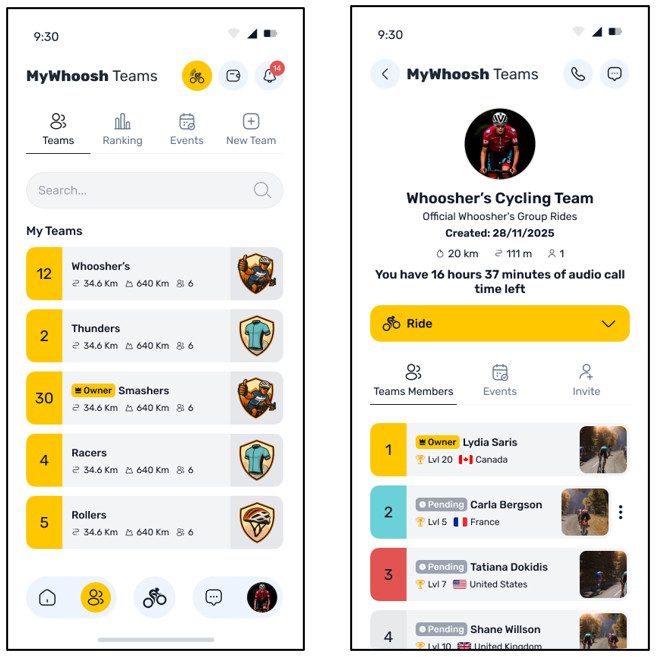
Teams now has its own section in the main navigation. My Teams and Joined Teams display each team’s overall ranking, total distance, total elevation and member count. Suggested Teams show ranking, country and member count to help you find a group to join.
Team owners with an active event credit plan can create Team Events directly from their team page and team profile images can also be updated. You can access events from each of the teams you belong to directly from their team pages.
Explore MyWhoosh Space
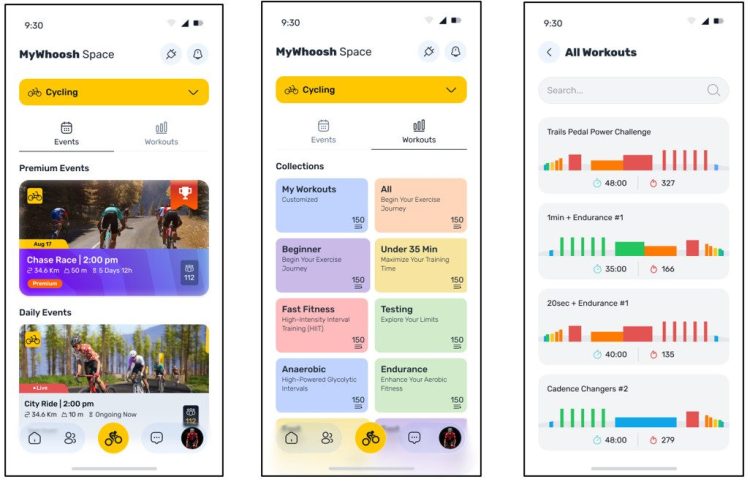
MyWhoosh Space brings Connections, Events and Workouts together.
Connections
Tap the plug icon in MyWhoosh Space to manage Bluetooth devices and other hardware connections from your phone, then bridge them to the device running MyWhoosh. This is primarily designed for riders using MyWhoosh on Apple TV who need additional connection points.
Events
Browse upcoming rides, runs, rows, races and community events.
The My Events filter is now available through your Profile, while Team Events can be found inside the relevant team page.
Workouts
Browse the full MyWhoosh cycling workout library and schedule available workouts directly into your training calendar. Running and rowing workouts will be added in a future update.
Messages where you need them
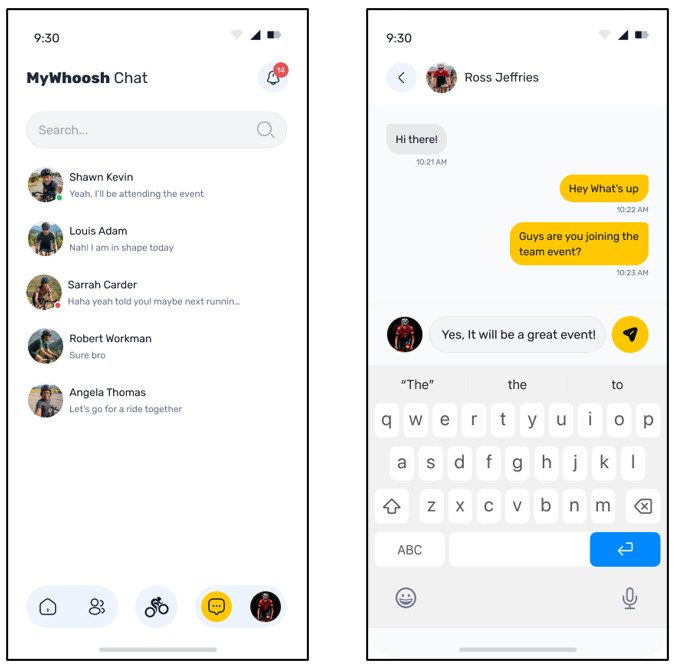
Whether you are planning a team ride or talking during a session, messaging is available from the part of the app where you need it.
You can access:
- Direct messages from the main navigation
- Team messages inside Teams
- Private and global chat during Live Ride
Live Ride companion
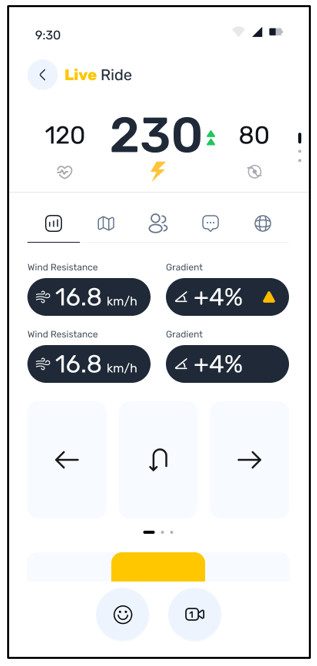
Connect the Link App and MyWhoosh to the same Wi-Fi network and your phone becomes a companion for your session.
Live Ride displays your metrics in real time and gives you access to key ride controls without leaving the app. That means less reaching for another screen when you want to check a number, change view or see who is riding nearby.
The metric header changes according to the sport:
Cycling and running: heart rate, power, cadence, speed, time and distance
Rowing: heart rate, split pace, strokes per minute, speed, time and distance
During the session, you can move between:
- Your saved Live Ride Presets
- The updated Live Map
- A Nearby List showing other riders
- Private chat
- Global chat
From the Nearby List, you can also chat with or spectate other riders.
How to start Live Ride
Make sure your phone and the device running MyWhoosh are connected to the same Wi-Fi network.
- Open the MyWhoosh Link App on your phone.
- Start or open your ride session in MyWhoosh.
- When the apps connect, the MyWhoosh icon in the Link App Home screen header will turn yellow.
- Tap the highlighted icon to open Live Ride.
Your live metrics and available session controls will then appear in the Link App.
Build your own Live Ride Presets
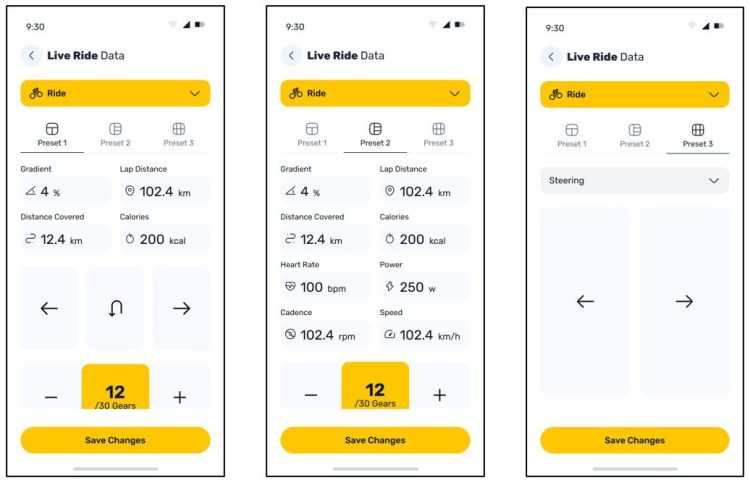
Live Ride Presets let you choose which metrics appear on your phone during a session.
You can create presets for different sports or types of training and update them inside or outside a ride. To change a field, simply tap the metric and choose what you want to display. Your changes are then saved to the selected preset.
This gives you a clearer view of the information you need, without filling the screen with data you are not using.
Update the MyWhoosh Link App
Link App v3 is built to make the time around your ride simpler, from planning the next session to checking live data and catching up with your team afterwards.
Update the app to explore the new structure and features.
Questions about the feature? Email support@mywhoosh.com